
Dreaming up your day is exciting. Keeping track of it all? Less so.
Colla is an AI wedding planning companion that works in the Claude desktop app. You chat to it like you would to a friend who’s good at admin. It files your quotes, keeps an eye on your payments, tells you what to save and when, and builds your Wedding Journal, a private page with your whole wedding on it. No surprises.
Get the free AI Wedding Phrasebook, and hear when Colla launches
Here’s your Phrasebook!
One more step: check your inbox and confirm your email, so you hear when Colla launches.
Preview mode: this is what people will see. Nothing was sent.
Or play with a sample Journal first
- Works in the Claude desktop app
- Needs a paid Claude plan
- Windows or Mac
- About 20 minutes to set up
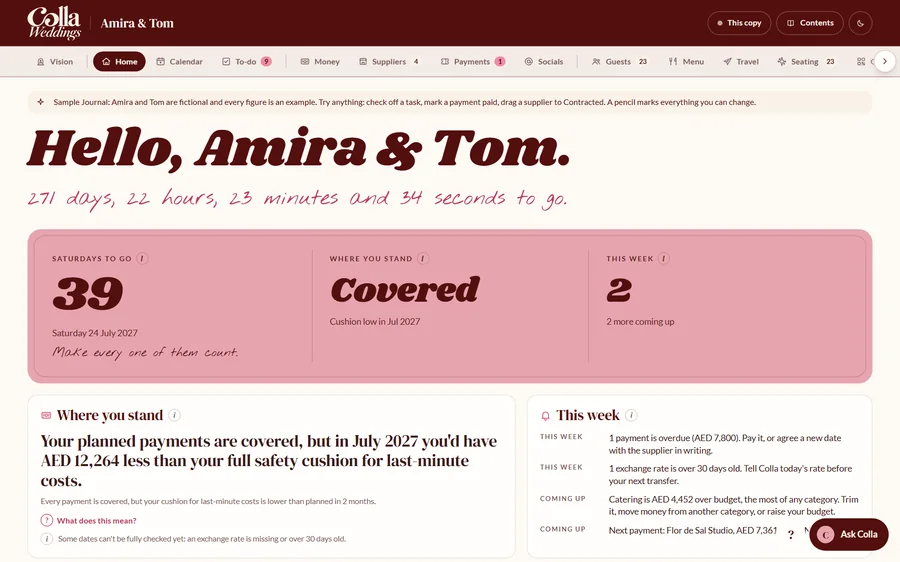
Not a spreadsheet person? Great. Talk it through with Colla.
Tell Colla what’s going on, the way you’d tell a friend who happens to love admin. It keeps the planner, the paperwork and the payment dates up to date for you.
And if you are a spreadsheet person, don’t worry. It’s all in there too, down to the last detail.
It all lives in your own Claude account, on your own computer. You stay in charge of sending, paying and signing.
An example chat
hi
Welcome to Colla Weddings. Ready to get planning on your dream wedding? Let’s start here.
We’ve just got engagedWe’re already planningJust looking around
How is the money looking?
You’re covered until July. That month is the tight one, because two final balances land a week apart. Want to see what moving one of them would do?
File my inbox
Done. I filed 3 documents: the florist’s quote, the venue’s invoice and the band’s contract. Here’s where each one went.
Made-up example. Colla’s real replies depend on what you’ve told it.
Where are you in your planning?
Tick the one that sounds most like you, and I’ll show you what’s worth doing now.
Everyone starts somewhere.
Pick where you are, and I’ll show you what’s worth doing now and where Colla can help.
- What matters at this stage
- What to ask, check or write down
- A sensible next step
Not every wedding decision needs to be made this week.
Join the launch listWhy are there 48 wedding tabs open?
Pick a note off the board and I’ll show you how Colla handles it.
Pick a note…
Go on, pick one.
I’ll show you how Colla sorts it, and where you’ll find it.
Your whole wedding on one page.
Colla builds your Journal as you plan. Tick something off or mark a payment paid, and Colla picks it up at the Sunday check-in (or straight away, if you ask).
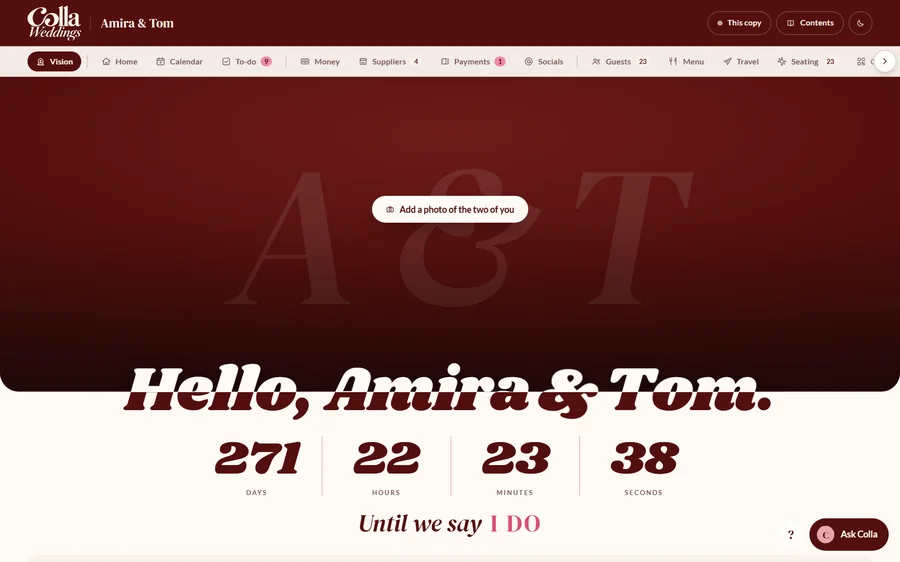
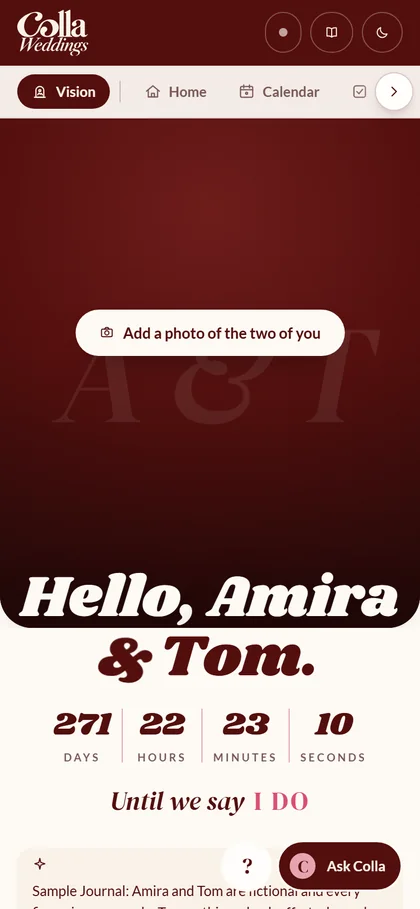
- Your photo, a live countdown and the feel of the day: your colors and three words.
- Add a mood board and it lays itself out like a magazine, with your favorite picture as the cover.
- Where you stand, in one sentence. Read it first, every time.
- Up to three things for this week, the payments coming up and how far you’ve come.
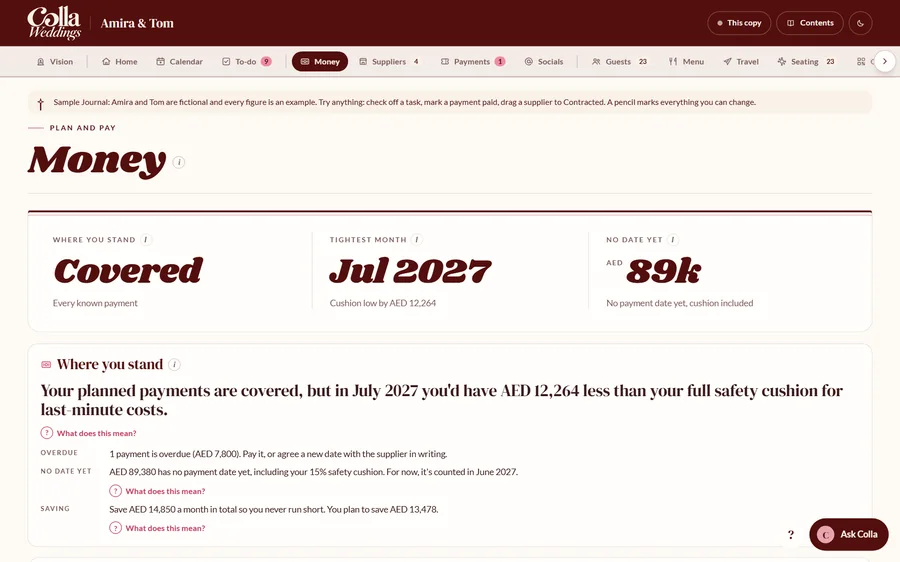
- Month by month, because a healthy total doesn’t mean every month is safe.
- Payments due show up as tickets. Tap Paid when the money’s gone.
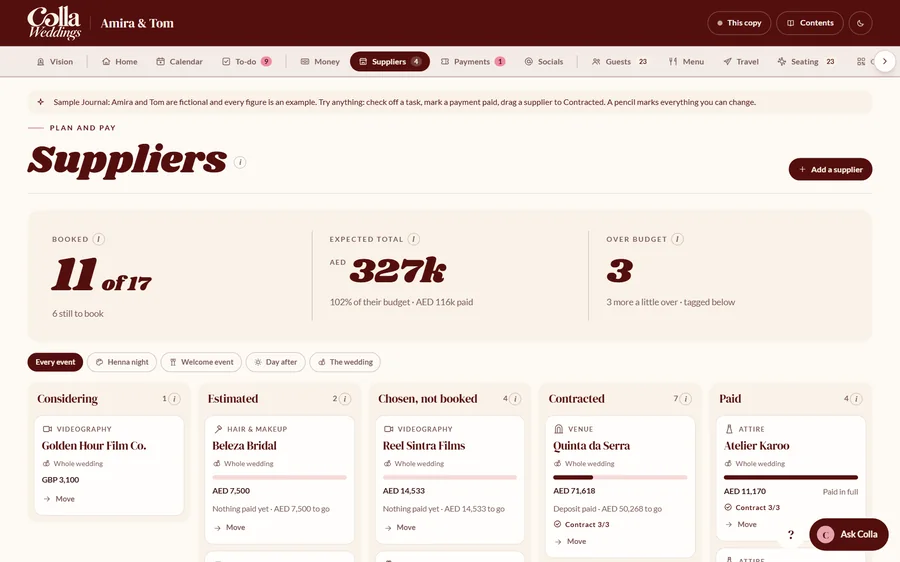
- Every supplier on one board, from Considering to Paid. Drag a card along.
- Move a supplier to Contracted and there’s confetti. Obviously.
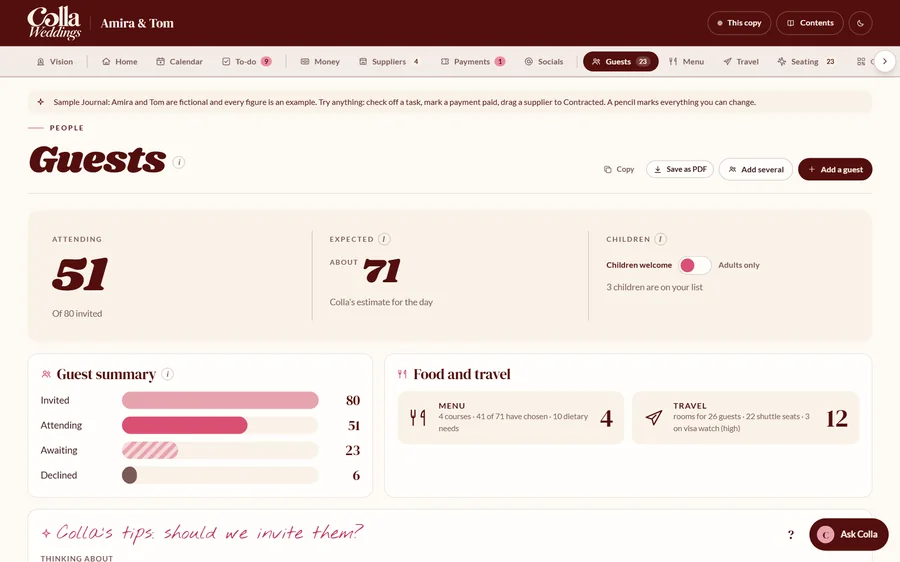
- RSVPs, meal choices and tables in one list. Select any name to change it.
- The kitchen’s tally and the dietary list work themselves out.
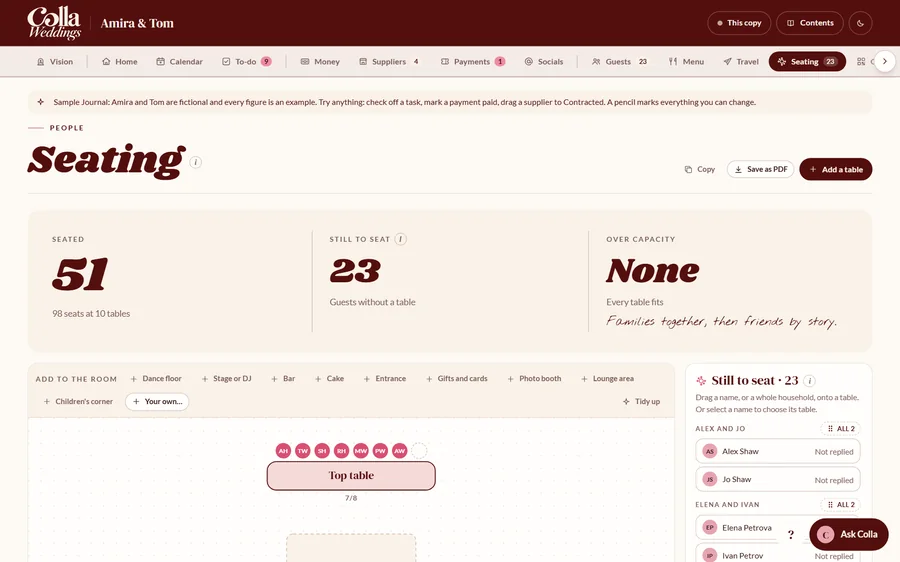
- Drag, resize and turn anything on the floor plan.
- Drag a guest, or a whole household, onto a table.
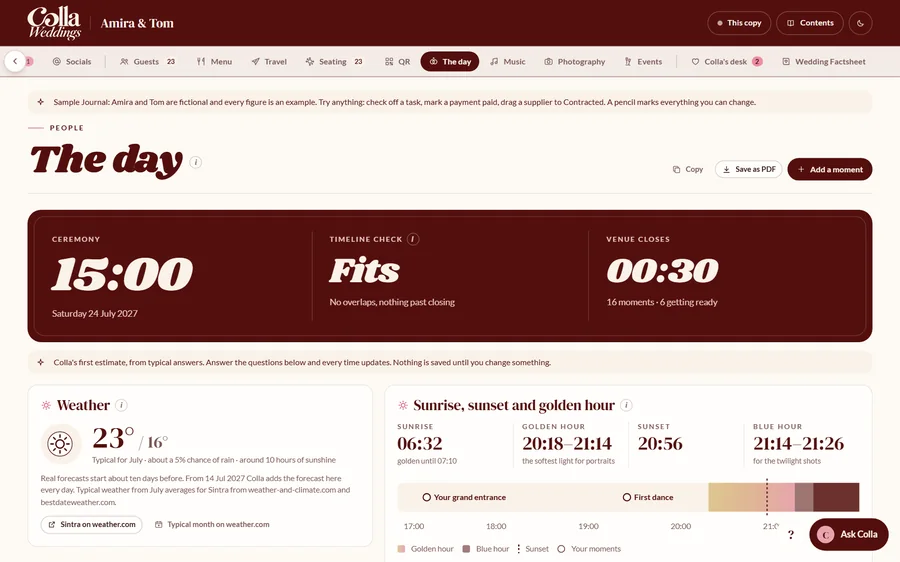
- Sunrise, sunset and golden hour for your venue’s exact spot.
- Build your running order one card at a time, then save it as a PDF for your venue.
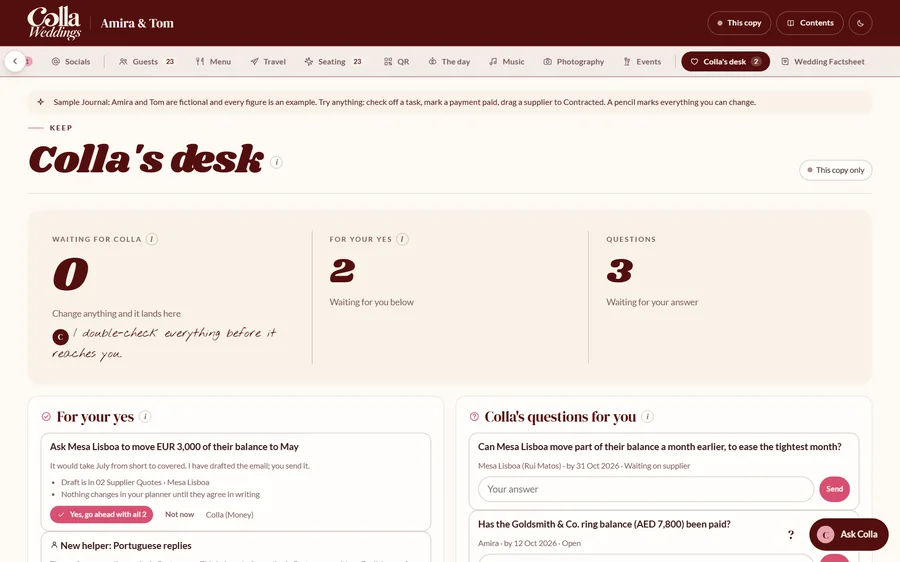
- Every change you’ve made, the questions Colla has for you, and anything waiting for your yes.
- Nothing is added to your plans until you press Yes.
Screens from the sample Journal that comes with Colla. Amira and Tom (and their suppliers) are made up. Try it yourself
Set it up in an evening.
Colla will be a digital download you can buy right here or on Etsy. It’s not on sale just yet, so join the launch list and you’ll be the first to know.
Colla is a digital download for one couple, sold right here. You’ll get the ZIP straight after checkout.
Two costs to know about: Colla itself (a one-off purchase, price coming soon) and a paid Claude plan, which you pay to Anthropic.
Prefer Etsy? Colla is on Etsy too.
- Get the Starter KitBuy it and download one ZIP file.
- Twenty minutes of setupInstall the Colla plugin and point Claude at your wedding folder. The handbook walks you through every click.
- Say hiYour first chat with Colla takes 20 minutes to an hour. Stop whenever you like and carry on later.
- Open your JournalSame night. Try one small change and watch Colla pick it up.
Seconds most days. A little longer on Sundays.
Colla checks in twice: once a week and once a month. Your computer just needs to be on, with the Claude app open.
- Any day
Something arrives?
Drop it in your inbox folder. Done something? Tick it off in your Journal, even from your phone.
Seconds - Sunday, 5 p.m.
Colla’s weekly run
Your changes copied in, documents filed, email sorted and replies drafted (never sent), the money checked and one short note for you.
10 to 15 minutes of yours - The 1st, 9 a.m.
The monthly review
The month just gone, the next 60 days, and anything worth starting early, like room blocks or visa letters.
Five minutes, with a coffee - The rest of the time
The fun part
Tastings, fittings, first-dance practice. As long as you like.
Unlimited
Colla does the admin. You decide, pay and press send.
Colla can see your wedding folder, so here’s what it will and won’t do.
Colla does
- Reads, renames and files the documents you drop into your inbox folder
- Keeps your suppliers, payments, guests and to-dos up to date
- Checks every payment against your savings, month by month, in your home currency
- Drafts the email replies you owe (if you connect your wedding Gmail)
- Remembers what you tell it, so you don’t have to keep repeating yourself
- Looks up suppliers and typical prices, and names every source
Colla is told never to
- Send, reply to or forward an email
- Pay, book, sign or cancel anything
- Delete your emails or files
- Contact a supplier or a guest
- Write your vows or speeches
- Share your folder or your Journal with anyone
These are instructions, not locks, so the setup guide shows you how to keep Claude’s permission prompts on too.
A few free things to play with.
Made with Colla. No sign-up needed, except for the Phrasebook.
-
Free · 2 minutes
Play with a real Journal
Click around Amira and Tom’s Journal: drag a supplier, tick a task, seat a guest. They’re made up, so go wild.
-
Free · Copy and paste
The AI Wedding Phrasebook
15 things to ask AI about your wedding, from comparing quotes to building a running order. Works in any AI chat.
-
Free tool
When’s golden hour on your day?
Type your venue’s town and your date. Get sunrise, sunset and the best light for photos.
-
Free tool
Should we invite them?
For the names you keep going back and forth on. A few honest questions, then an answer.
Built by someone who’s just been through it.
There are a lot of beautiful things about planning a wedding. Trying to remember every payment, supplier, deadline and quote on top of your job and everything else going on is a different story.
More about CollaWhen I was planning my own wedding, I realized just how much there was to keep track of. The budget, supplier payments, quotes, guest lists, and about a hundred little things in between.
We planned it from abroad, earning in one currency and paying suppliers in others. Choosing the details was the easy part. What caught us off guard was how many payments landed in the final few weeks.
So I built Colla to make that part easier. It’s in testing now, and I can’t wait to show you more.
 NicoleFounder, Colla Weddings
Be first to hear when Colla launches.
If you’d like to know when it’s ready, pop your email in. Here’s what you get:
- The free AI Wedding Phrasebook, straight away
- A note the day Colla goes on sale
- The occasional planning tip (once a week at most)
- Sneak peeks at what’s changing while I test it
You’re nearly on the list!
Here’s your free AI Wedding Phrasebook. It’s yours right now.
One more step: check your inbox and confirm your email.
Preview mode: this is what people will see. Nothing was sent.
Quick question: what would help most right now?
A wedding pro, a collaborator, or just curious?
I’d love to hear from you, especially if you have questions couples ask you all the time.